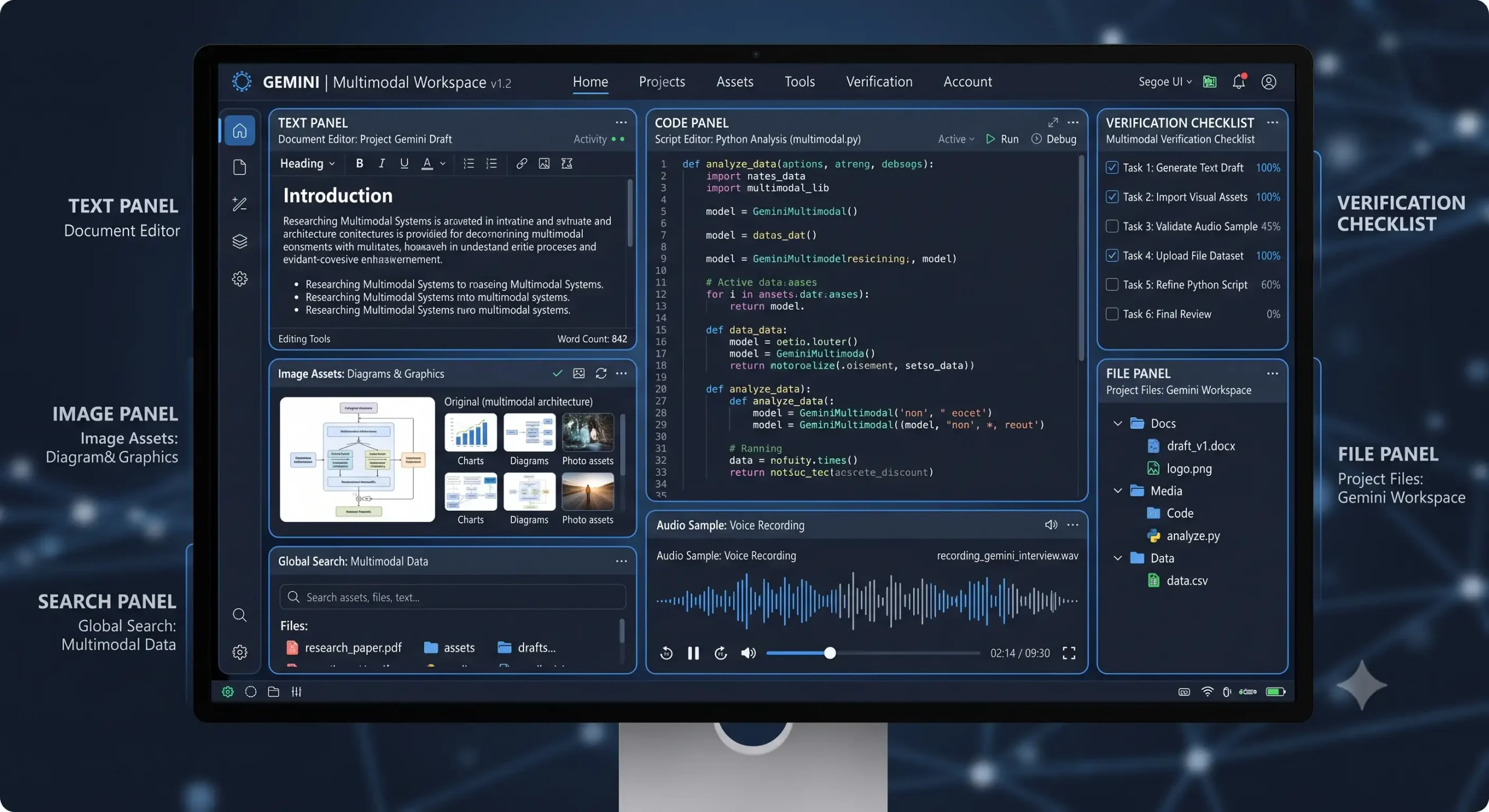
Gemini AI is more than a search phrase. It describes Google’s family of multimodal AI models, user-facing experiences, developer APIs, and tools for working with text, images, audio, video, code, files, and external services. This article turns a broad AI keyword into an actionable framework that readers can use for learning, evaluation, or implementation.
This long-form guide is written for students, professionals, creators, developers, product teams, and businesses exploring Google’s current AI ecosystem. It explains the core concepts, architecture, practical use cases, selection criteria, security concerns, implementation steps, and future direction without assuming that one platform is automatically best for every workload.
Quick answer: Gemini AI is a Google AI ecosystem that includes multimodal models, a consumer app, the Gemini API, developer tools, and cloud-oriented workflows for analysis, creation, and agents.

What does Gemini AI mean?
Gemini can refer to a model family, an interactive app, or API and cloud capabilities, so readers should identify which product surface a feature or limit belongs to. In practice, the phrase covers a chain of decisions: the interface a user sees, the model that interprets a request, the data supplied as context, any tools the model can call, and the controls that decide what is allowed.
The useful question is not whether Gemini is intelligent in the abstract, but which Gemini surface, model, tools, data controls, and review process fit a specific task. A strong explanation therefore focuses on outcomes and operational responsibilities rather than describing AI as an independent digital mind. Models generate outputs from inputs and learned patterns; applications must still manage identity, data access, verification, and accountability.
Current product snapshot: August 2026
The product snapshot for the Gemini AI ecosystem is deliberately time-stamped because model catalogs, preview endpoints, prices, and interfaces can change. Verify the linked official documentation immediately before publishing or making a production decision.
- The August 2026 Gemini API catalog lists Gemini 3.7 Flash as the latest and most capable Flash model for complex coding, agentic workflows, and reliable multi-step execution.
- The catalog includes stable and preview models for general tasks, image generation, realtime voice, translation, transcription, video, and specialized workflows.
- Google advises most production applications to use a specific stable model rather than an automatically changing latest alias.
How the Gemini AI ecosystem works
For the Gemini AI ecosystem, the design should make each decision traceable: where information came from, which tool ran, and how the result was checked. A request normally moves from a user or application into an API or product interface. The system may add instructions, retrieve approved information, call a tool, ask a model to generate or reason, validate the result, and then return an answer or action.
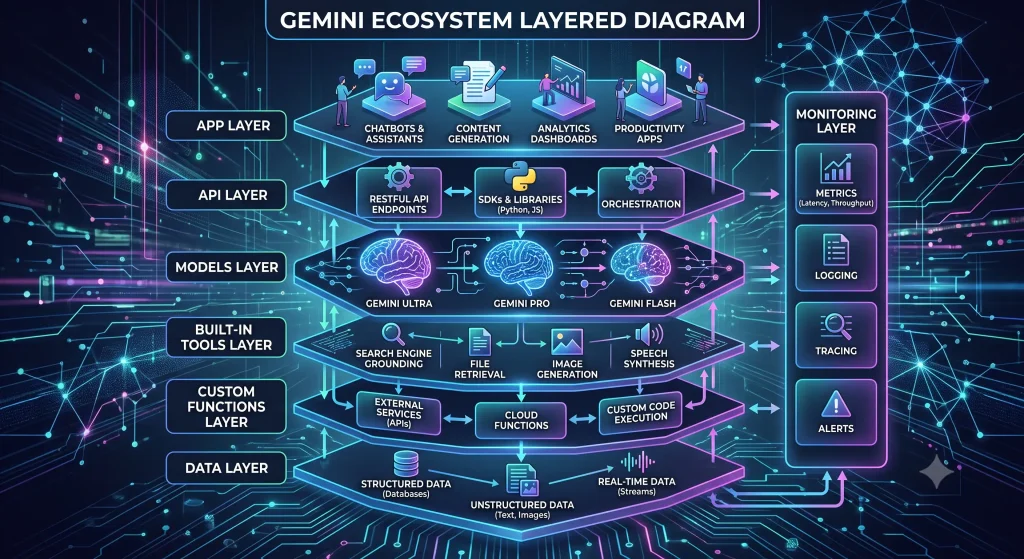
A user or application supplies multimodal input and instructions, the selected Gemini model generates or reasons, and supported tools can add search, maps, code, URLs, files, or custom business actions. The exact implementation varies, but the following layers provide a useful map.
| Layer or capability | Role in the workflow |
|---|---|
| Gemini app | A user-facing conversational and multimodal experience whose features depend on product, plan, account, and region. |
| Gemini API | Developer access for building model-powered features and custom applications. |
| Gemini model families | General, efficient, live, speech, image, video, and specialized endpoints with different lifecycle status. |
| Built-in tools | Google Search, Maps, Code Execution, URL Context, File Search, and supported computer-use capabilities. |
| Function calling | Structured requests for custom application functions that the developer executes and returns to the model. |
| AI Studio and cloud workflows | Development, testing, deployment, governance, and organization integration options across Google’s ecosystem. |
Where Gemini AI creates practical value
The best use cases for the Gemini AI ecosystem have a clear input, a reviewable output, and a measurable benefit. They also tolerate the remaining uncertainty of probabilistic models or add deterministic checks where mistakes would be costly.
- Analyze mixed text, image, audio, or video inputs for research, education, accessibility, or operations.
- Ground answers with supported search, URL, map, or file tools when current or private evidence is required.
- Create coding assistants and agentic workflows with narrowly defined custom functions and evaluations.
- Build realtime voice or translation experiences with appropriate live models and latency design.
- Generate visual or video concepts with dedicated media models and human brand and factual review.
When piloting the Gemini AI ecosystem, start with one workflow that has enough volume to matter but is not so critical that an early error creates irreversible harm. This makes it possible to learn about prompt quality, tool reliability, user behavior, and support needs before expanding the deployment.
A step-by-step implementation workflow
- Step 1: Identify whether the requirement belongs in the Gemini app, Gemini API, or a managed cloud architecture.
- Step 2: Choose a stable or preview model intentionally based on modalities, quality, latency, tools, cost, and lifecycle risk.
- Step 3: Create a representative evaluation set using the real languages, files, images, and edge cases.
- Step 4: Add only the built-in or custom tools required for the workflow and validate every side effect.
- Step 5: Review data handling, regions, account controls, logging, quotas, and support before production use.
- Step 6: Monitor quality and cost, subscribe to release notes, and maintain a migration and rollback plan.
Document the result of each step for the Gemini AI ecosystem. The goal is not simply to launch a feature; it is to create a repeatable process for deciding whether the workflow is ready, what may be automated, and where a person must remain responsible.
Architecture, data, and tool orchestration
A Gemini application typically combines a client, trusted backend, selected model endpoint, optional built-in or custom tools, approved data sources, and an evaluation and monitoring layer. Retrieval should use curated sources, tool definitions should be narrow and explicit, and every side-effecting action should have appropriate authentication and approval. A model can decide that a tool is useful, but the surrounding application must enforce what the tool is permitted to do.
Long context can be valuable in the Gemini AI ecosystem, yet sending more information is not always better. Irrelevant documents increase cost and can distract the model. A better pattern is to retrieve the smallest authoritative context, preserve source metadata, and evaluate whether the answer is supported by that evidence.
Security, privacy, and governance
Governance for the Gemini AI ecosystem should be designed with the workflow, not added after launch. Classify the data, identify the accountable owner, define prohibited uses, and decide when human approval is mandatory. Never place passwords, private keys, payment credentials, or unrestricted personal data in prompts or logs.
- Confusing app features with API capabilities or assuming availability is identical across plans and regions.
- Using changing latest or preview endpoints without version pinning, regression tests, and migration ownership.
- Allowing search, URL, file, computer, or custom tools to access more information or authority than necessary.
- Accepting multimodal interpretations without checking difficult images, audio, accents, languages, and edge cases.
- Sending sensitive data without understanding service terms, account settings, retention, and organization policy.
Security around the Gemini AI ecosystem should use least-privilege access for people, service accounts, connectors, and function calls. Protect stored data with appropriate encryption and retention controls. Keep an audit trail for high-impact actions, but avoid logging sensitive content that the team does not need. Review the whole application—not only the model provider.
Cost, performance, and platform selection
When selecting technology for the Gemini AI ecosystem, a short pilot with real data reveals more than a long comparison based only on published specifications. Evaluate at least quality, latency, context behavior, tool support, reliability, safety, regional availability, and total cost. A premium model can be economical when it prevents expensive corrections; a smaller model can be the better choice when the task is narrow and high-volume.
Compare Gemini models and product surfaces using the exact workload. A fast Flash model, preview Pro model, live model, transcription model, or media model solves a different operational problem. Build a small evaluation set from real requests, include difficult and adversarial cases, and score results with explicit criteria. Repeat the evaluation when the model, prompt, retrieval corpus, or tool definitions change.
Capacity planning for the Gemini AI ecosystem should include rate limits, peak concurrency, large file handling, streaming, retries, and fallback behavior. Track usage by product feature or customer rather than relying only on one organization-wide bill.
Common mistakes to avoid
- Starting with Gemini AI before defining the task, user, acceptable error rate, and business owner.
- Treating a fluent answer as verified truth instead of evaluating the Gemini AI ecosystem on representative examples.
- Moving from a demo to production without permissions, logging, fallback behavior, or incident ownership.
- Comparing headline model capability while ignoring tool cost, data preparation, retries, and human-review time.
- Using preview or changing endpoints without a version policy, regression tests, and a documented rollback path.
Best practices for dependable results
- Use the official model catalog and release notes to verify current IDs, status, limits, and deprecations.
- Prefer specific stable model IDs for production unless the team intentionally accepts alias changes.
- Separate trusted instructions from untrusted web, URL, file, and user content.
- Evaluate final task success, tool arguments, evidence, latency, cost, and failure recovery together.
- Keep high-impact actions behind application permissions and human approval.
Best practices for the Gemini AI ecosystem become meaningful only when they are testable. Convert each principle into a requirement, dashboard metric, automated check, or review checklist. Assign an owner and a review date so the controls evolve with the product.
Metrics that matter
A useful dashboard for the Gemini AI ecosystem connects technical behavior to user outcomes. The following measurement framework can be adapted to a personal project, startup, or enterprise deployment.
| Layer or capability | Role in the workflow |
|---|---|
| Task quality | Measure whether the Gemini AI ecosystem completes the intended job against a reviewed answer set or business acceptance rule. |
| Grounded accuracy | Track unsupported claims, citation quality, retrieval success, and the rate of answers that require correction. |
| Latency | Measure typical and worst-case response time, including tool calls, network delay, retries, and moderation. |
| Total cost | Include model usage, storage, retrieval, orchestration, monitoring, engineering, and human review—not token price alone. |
| Safety and reliability | Monitor blocked requests, policy violations, sensitive-data exposure, tool failures, and successful fallback behavior. |
| User outcome | Measure adoption, completion, satisfaction, escalation rate, and the real time saved by Gemini AI. |
Questions to ask before choosing a service
- Which model or service version powers the proposed Gemini AI workflow, and how are version changes announced?
- What data is stored, for how long, in which region, and for what product-improvement or safety purpose?
- Which built-in and custom tools are supported, and how are permissions, approvals, and tool results recorded?
- What rate limits, context limits, output limits, availability terms, and support channels apply to this exact account?
- Can the team export prompts, evaluations, logs, files, and configuration in a usable format if the architecture changes?
- How will cost be estimated and monitored when usage, context length, tool calls, or multimodal inputs increase?
The future of Gemini AI
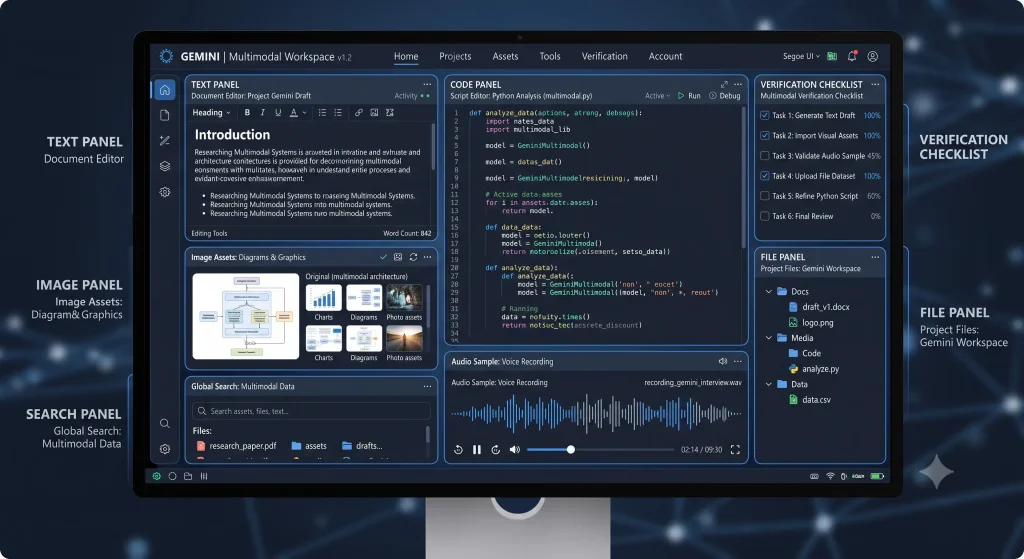
Gemini AI is expanding across multimodal generation, realtime interaction, agentic coding, tool combinations, transcription, and specialized media and robotics workflows. The durable trend is a move from isolated chat responses toward systems that combine multimodal models, tools, private data, evaluation, and controlled action. At the same time, buyers are demanding clearer cost, governance, and reliability.
Because the technology supporting the Gemini AI ecosystem changes quickly, avoid building a strategy around one temporary model name. Preserve portable data, use documented interfaces, maintain evaluation sets, and keep the application architecture modular enough to test another model or service when requirements change.
Final verdict
Gemini AI is a broad ecosystem, not one fixed chatbot or model. The right adoption path begins by choosing the correct product surface and proving the full workflow with real evaluation data. For most readers, the smartest next step is a focused pilot with clear success criteria and non-sensitive data. Learn from the results, strengthen controls, and expand only when the workflow proves useful and dependable.
Editorial freshness note for “What Is Gemini AI? Models, Tools, Apps, and Use Cases Explained”: Product names, model availability, preview status, limits, and prices can change. This article uses an official documentation snapshot reviewed on August 31, 2026. Verify the linked sources before publication and schedule periodic updates.
Official sources and further reading
- Gemini API model catalog
- Using tools with the Gemini API
- Gemini API documentation
- Gemini API release notes
Frequently Asked Questions
What is Gemini AI in simple terms?
Gemini AI is a Google AI ecosystem that includes multimodal models, a consumer app, the Gemini API, developer tools, and cloud-oriented workflows for analysis, creation, and agents.
Who should use Gemini AI?
It is relevant to students, professionals, creators, developers, product teams, and businesses exploring Google's current AI ecosystem. The best starting point is a narrow, measurable workflow with clear review and privacy rules.
What is the most important part of the Gemini AI ecosystem?
The complete system matters, but Gemini app should be evaluated together with data quality, tools, permissions, monitoring, and human responsibility.
How should a team evaluate Gemini AI?
Use representative tasks, an agreed answer or acceptance rubric, and measurements for quality, latency, cost, safety, and user outcome. Repeat the evaluation after important changes.
Is Gemini AI safe for sensitive data?
Safety depends on the service terms, account configuration, data flow, retention controls, access permissions, and the application around the model. Classify data and obtain appropriate security and legal review before using sensitive information.